How do I add Patterns to the Pattern List?
The initial build of version 1.4 of Cartographica doesn't allow the import of PDF files for Patterns. While we wait for this to be fixed, there's another way you can add PDF patterns so that they show up in Cartographica's Patterns tab.
Switch to the Finder and choose Go > Go to folder...
Paste ~/Library/Application Support/com.ClueTrust.Cartographica into the window and click Go
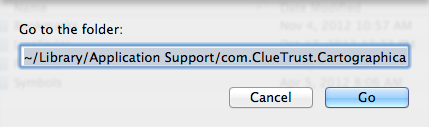
This will take the finder to the Application Support folder for Cartographica, which is where your extra resources are stored
Drag the files into your Patterns folder
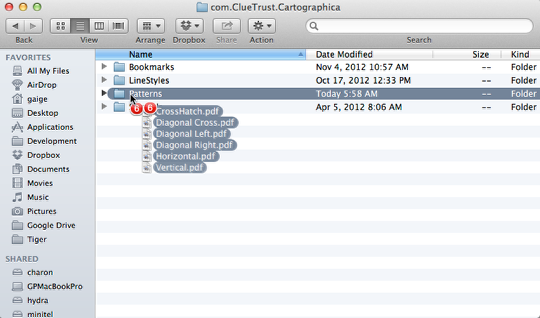
When you drag these items into the Patterns folder, they'll now be there, with those names, until removed.
Quit and start Cartographica to see them
Cartographica doesn't expect that these folders will be manipulated behind its back, so you will need to quit and start Cartographica again to see them in the Patterns tab.